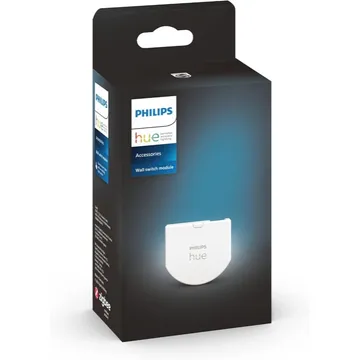
Philips Hue Wall Switch Module
A battery-powered Zigbee module that fits behind a wall switch and sends its presses to Hue lights. Works with Zigbee2MQTT, ZHA and deCONZ.
Works with


Features
Which features work depends on your hub. Apple Home, Home Assistant and others each expose different ones.
About
A coin-cell Zigbee module that sits behind a wall switch, so the switch's presses reach your Hue lights while the bulbs keep their power. It takes rocker or push switches with one or two buttons. Philips says it needs a Hue Bridge.
Before you buy
Owners point out that the battery module only reports the switch to the Hue system and keeps the bulbs powered, so it does not switch a non-smart fixture. Commenters say Hue's newer wired modules, sold in Europe, are the ones that can switch ordinary bulbs, and that the battery module is simple to install.
Owner reports, Sep 2026 · r/Hue: Can I use regular light bulbs with the Wall Switch Module? · checked 3 Nov 2026
Critic review
The reviewer likes that it keeps the existing switch, so the look stays and nobody can cut power to the bulbs, and calls the install one of the easiest for a smart switch. The drawbacks are a CR2450 battery rated for about five years, Hue-only lights (others stay permanently on), and dimming limited to cycling three scenes. He rates it 75% and calls it niche.
Mighty Gadget · James Smythe · 25 Jul 2023
Pairing
- In the Hue app go to Settings, then Devices, and tap the + button. To reset, hold the setup button for more than 10 seconds, then add it again.
- In the Hue app go to Settings, then Devices, and tap the + button. To reset, hold the setup button for more than 10 seconds, then add it again.
- Then in Aeotec Smart Home Hub
- Open the SmartThings app, tap +, then Add device.
- Choose Scan nearby to start the search.
- Pick a room and give the device a name.
- In the Hue app go to Settings, then Devices, and tap the + button. To reset, hold the setup button for more than 10 seconds, then add it again.
- In the Hue app go to Settings, then Devices, and tap the + button. To reset, hold the setup button for more than 10 seconds, then add it again.
- Then in Hubitat
- In Hubitat, open Devices and choose Add device.
- Pick Zigbee, then Start Zigbee pairing.
- Name the device and choose a room once it is found.
- In the Hue app go to Settings, then Devices, and tap the + button. To reset, hold the setup button for more than 10 seconds, then add it again.
- Then in Third Reality Smart Hub
- Open the Third Reality app and choose Add device.
- Pick the device type and follow the app’s prompt.
- Give the device a name and choose a room.
- In the Hue app go to Settings, then Devices, and tap the + button. To reset, hold the setup button for more than 10 seconds, then add it again.
- Then in Home Assistant
- Go to Settings → Devices & services and open the ZHA integration.
- Choose Add device to start the scan.
- Pick the device when it appears, then assign it to an area.
- In the Hue app go to Settings, then Devices, and tap the + button. To reset, hold the setup button for more than 10 seconds, then add it again.
- Then in Zigbee2MQTT
- Open the Zigbee2MQTT frontend and turn on Permit join for the coordinator.
- Wait for the device to appear in the Devices list.
- Rename it and assign it to a room.
- In the Hue app go to Settings, then Devices, and tap the + button. To reset, hold the setup button for more than 10 seconds, then add it again.
- Then in deCONZ
- Open Phoscon and go to Devices, then choose the kind of device.
- Start the search and keep the device close to the ConBee or RaspBee.
- Give the device a name when it appears.
- In the Hue app go to Settings, then Devices, and tap the + button. To reset, hold the setup button for more than 10 seconds, then add it again.
- Then in Zigbee for Domoticz
- Open the Zigbee for Domoticz interface and allow new devices to join.
- Wait for the device to appear, then give it a name.
About 2 minutes. Put the device into pairing mode first, then add it to your hub.
FAQ
How does the Hue Wall Switch Module work?
It sits behind a wall switch and tells your Hue lights what the switch did. The bulbs keep their power, so the switch no longer cuts them off the network.
Does the Hue Wall Switch Module need a Hue Bridge?
Philips says yes: it lists a Bridge as required and says you cannot control Hue lights with the module without one.
Can it switch ordinary light bulbs?
No. It only works with Hue lights, and other bulbs stay permanently on. Hue's newer wired modules, sold in Europe, are the ones that switch ordinary bulbs.
Does it work with Home Assistant?
Zigbee2MQTT, ZHA and deCONZ all list it. Zigbee2MQTT exposes its battery level, device mode and button actions.
How do I reset the Hue Wall Switch Module?
Open its edit screen in the Hue app and tap Reset. If that fails, delete it in the app, hold the setup button for more than 10 seconds, then add it again.