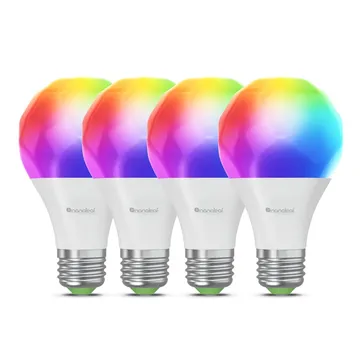
Nanoleaf Essentials Matter Smart Bulb, E27 (Wi-Fi)
A 900 lm colour E27 bulb with Matter over Wi-Fi. Works with Apple Home, Alexa, Google Home and SmartThings; no Nanoleaf hub needed. Sold as a 4-pack.
Works with


Features
Features by hub: support differs between Apple Home, Home Assistant and others.
About
A colour and tunable white A19 bulb on an E27 cap that joins Wi-Fi and speaks Matter, with Bluetooth for setup in the Nanoleaf app. It dims, runs schedules and follows the sun with circadian lighting. The Amazon UK listing sells a 4-pack.
Pairing
- Leave the bulb on for 10 seconds, then repeat this 4 times: off for 3 seconds, on for under a second, off for 3 seconds, on for under a second. It blinks red 3 times when reset.
- Then in Apple Home
- Open the Home app, tap +, then Add accessory.
- Scan the Matter code from the device or its app, or enter it by hand.
- Pick a room and give the device a name.
- Leave the bulb on for 10 seconds, then repeat this 4 times: off for 3 seconds, on for under a second, off for 3 seconds, on for under a second. It blinks red 3 times when reset.
- Then in Aeotec Smart Home Hub
- Open SmartThings, tap +, then Add device.
- Choose Matter, then scan the code from the device or its app.
- Pick a room and give the device a name.
- Leave the bulb on for 10 seconds, then repeat this 4 times: off for 3 seconds, on for under a second, off for 3 seconds, on for under a second. It blinks red 3 times when reset.
- Then in Google Home
- Open the Google Home app, tap +, then Set up device.
- Choose New device, then scan the Matter code from the device or its app.
- Pick a home and a room, then give the device a name.
- Leave the bulb on for 10 seconds, then repeat this 4 times: off for 3 seconds, on for under a second, off for 3 seconds, on for under a second. It blinks red 3 times when reset.
- Then in Amazon Alexa
- Open the Alexa app, go to Devices, then tap +.
- Choose Add device, then Matter, and scan the code from the device or its app.
- Add the device to a group and give it a name.
About 2 minutes. Put the device into pairing mode first, then add it to your hub.