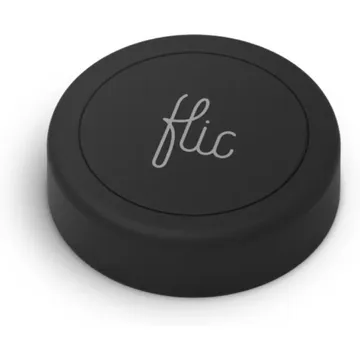
Flic Smart Button
Bluetooth button that runs push, double-push and hold actions through the Flic app. Apple Home needs the Hub LR, and Matter devices need a Flic Hub.
Works with


Features
Which features work depends on your hub. Apple Home, Home Assistant and others each expose different ones.
Actions
Button presses and controls that trigger automations on this device.
About
A small Bluetooth button with push, double-push and hold triggers, set up in the Flic app on iOS or Android and working up to 50 m from the phone in the open. It appears in Apple Home only through the Hub LR, and it controls Matter devices only through a Flic Hub, which is the Matter controller; without a hub the button needs the phone nearby.
Critic review
When the hub is in range the reviewer says the buttons feel like magic: responsive, able to trigger several actions at once and good for small pain points. The complaints are an outdated app, Bluetooth range of about a room or two from the hub, and Matter support that is only partly useful: the hub can control Matter devices but is not a Thread border router and does not turn buttons into generic Matter switches.
Matter Alpha · James Bruce · 21 Apr 2025
Pairing
- Remove the battery, reinsert it, then hold the button for 10 seconds within 5 seconds to factory reset; add it again through the Flic app.
- Remove the battery, reinsert it, then hold the button for 10 seconds within 5 seconds to factory reset; add it again through the Flic app.
- Then in Home Assistant
- Go to Settings → Devices & services and choose Add integration.
- Pick Matter, then choose Add device.
- Enter the pairing code from the device or its app.
- Remove the battery, reinsert it, then hold the button for 10 seconds within 5 seconds to factory reset; add it again through the Flic app.
- Then in Homey
- Open the Homey app, go to Devices, then tap +.
- Choose Matter, then scan the pairing code.
- Pick a zone and give the device a name.
- Remove the battery, reinsert it, then hold the button for 10 seconds within 5 seconds to factory reset; add it again through the Flic app.
- Then in Aeotec Smart Home Hub
- Open SmartThings, tap +, then Add device.
- Choose Matter, then scan the code from the device or its app.
- Pick a room and give the device a name.
- Remove the battery, reinsert it, then hold the button for 10 seconds within 5 seconds to factory reset; add it again through the Flic app.
- Then in Google Home
- Open the Google Home app, tap +, then Set up device.
- Choose New device, then scan the Matter code from the device or its app.
- Pick a home and a room, then give the device a name.
- Remove the battery, reinsert it, then hold the button for 10 seconds within 5 seconds to factory reset; add it again through the Flic app.
- Remove the battery, reinsert it, then hold the button for 10 seconds within 5 seconds to factory reset; add it again through the Flic app.
- Then in Hubitat
- In Hubitat, open Devices and choose Add device.
- Pick Matter, then start the scan.
- Enter the pairing code, then name the device.
- Remove the battery, reinsert it, then hold the button for 10 seconds within 5 seconds to factory reset; add it again through the Flic app.
- Remove the battery, reinsert it, then hold the button for 10 seconds within 5 seconds to factory reset; add it again through the Flic app.
About 2 minutes. Put the device into pairing mode first, then add it to your hub.
FAQ
Does the Flic 2 need a hub?
Not for basic use: it pairs to your phone over Bluetooth in the Flic app. Apple Home needs a Flic Hub LR, and adding Matter devices needs a Flic Hub.
How far does it reach?
About a room or two from the hub. Bluetooth has no mesh, and each button pairs to a single hub, so a button cannot roam between hubs.
What actions can one button run?
Three: single press, double press and hold. Each can trigger one or several actions at once.
Does it work as a Matter button?
Not directly. The Flic Hub can control Matter devices, but it does not expose the buttons as generic Matter switches.
How do I reset a Flic 2?
Remove the battery and put it back, then hold the button for 10 seconds within 5 seconds to factory reset. Add it again through the Flic app.