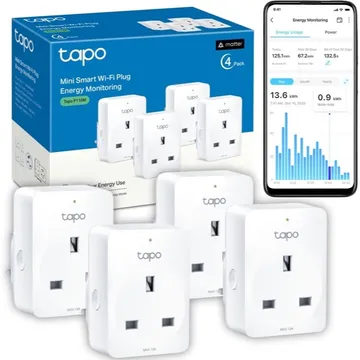
Tapo P110M Mini Smart Wi-Fi Plug, Energy Monitoring
A Matter over Wi-Fi mini plug with energy monitoring, schedules and an auto-off timer. Works with Apple Home, Alexa and Google Home; no Tapo hub needed.
Works with


Features
Features by hub: support differs between Apple Home, Home Assistant and others.
About
A mini Wi-Fi plug that leaves the next socket free, tracks energy use and estimates bills. Matter support lets it join Apple Home, Alexa or Google Home alongside the Tapo app. The Amazon UK listing sells a 4-pack.
Pairing
- Hold the button on the side for 5 seconds to reset the Wi-Fi settings, or for 10 seconds to restore factory settings.
- Then in Apple Home
- Open the Home app, tap +, then Add accessory.
- Scan the Matter code from the device or its app, or enter it by hand.
- Pick a room and give the device a name.
- Hold the button on the side for 5 seconds to reset the Wi-Fi settings, or for 10 seconds to restore factory settings.
- Then in Google Home
- Open the Google Home app, tap +, then Set up device.
- Choose New device, then scan the Matter code from the device or its app.
- Pick a home and a room, then give the device a name.
- Hold the button on the side for 5 seconds to reset the Wi-Fi settings, or for 10 seconds to restore factory settings.
- Then in Amazon Alexa
- Open the Alexa app, go to Devices, then tap +.
- Choose Add device, then Matter, and scan the code from the device or its app.
- Add the device to a group and give it a name.
About 2 minutes. Put the device into pairing mode first, then add it to your hub.