SONOFF NSPanel Wi-Fi Smart Scene Wall Switch, 2 Gang
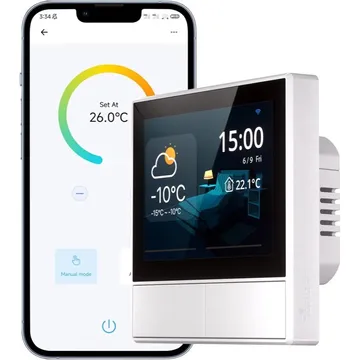
A Wi-Fi wall panel with two relays, a 3.5-inch touchscreen and a SONOFF thermostat. Works with Alexa and Google Home; needs live and neutral wires.
Works with


Features
Which features work depends on your hub. Apple Home, Home Assistant and others each expose different ones.
About
A 3.5-inch touch panel that replaces a two-gang wall switch and controls other SONOFF devices as well as its own two relays. It has a built-in temperature sensor and a thermostat that binds to one SONOFF switch, plug or relay channel. It needs live and neutral wires and a 2.4 GHz Wi-Fi network for the eWeLink app.
Pairing
- First power-on puts the panel into Bluetooth pairing mode. To pair it again, hold either button for 5 seconds until the screen shows Bluetooth pairing, then release; pairing closes after 3 minutes.
- Then in Google Home
- Open the Google Home app, tap +, then Set up device.
- Choose Works with Google Home and find the brand.
- Sign in, pick the device, then choose its room.
- First power-on puts the panel into Bluetooth pairing mode. To pair it again, hold either button for 5 seconds until the screen shows Bluetooth pairing, then release; pairing closes after 3 minutes.
- Then in Amazon Alexa
- Open the Alexa app, go to Devices, then tap +.
- Choose Add device and pick the brand, or enable its skill.
- Let discovery run, then add the device to a group.
About 2 minutes. Put the device into pairing mode first, then add it to your hub.