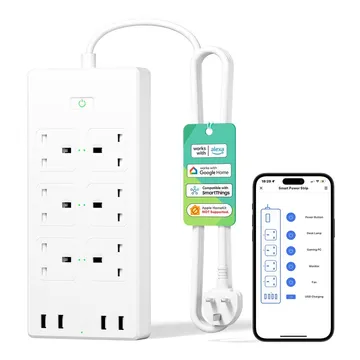
Meross MSS426 Smart Extension Lead, 6 Sockets, 4 USB
A Wi-Fi extension lead with six individually switched UK sockets and four USB-A ports. Works with Alexa, Google Home and SmartThings; no Meross hub needed.
Works with


Features
Features by hub: support differs between Apple Home, Home Assistant and others.
About
A Wi-Fi extension lead with six UK sockets that switch individually and four USB-A ports that switch together, rated 13 A in total. It is set up in the Meross app and needs no hub.
Pairing
- Press and hold the on/off button for 5 seconds to start a factory reset.
- Press and hold the on/off button for 5 seconds to start a factory reset.
- Then in Google Home
- Open the Google Home app, tap +, then Set up device.
- Choose Works with Google Home and find the brand.
- Sign in, pick the device, then choose its room.
- Press and hold the on/off button for 5 seconds to start a factory reset.
- Then in Amazon Alexa
- Open the Alexa app, go to Devices, then tap +.
- Choose Add device and pick the brand, or enable its skill.
- Let discovery run, then add the device to a group.
About 2 minutes. Put the device into pairing mode first, then add it to your hub.